
A new update has been released for Bloopair , the tool developed by developer GaryOderNichts that allows us to connect third-party controllers to the Wii U console .
Bloopair works by applying temporary patches to the Wii U ‘s IOS-PAD module , which is responsible for managing Bluetooth connections, and converts HID signals from controllers on other consoles (such as PS3, PS4, PS5, Switch, and Xbox One) into the format expected by the system.
The tool supports up to 7 controllers connected via Bluetooth at once (although most Wii U games limit this to 4), with features such as rumble and battery level display where supported.
This new version introduces compatibility with third-party DualShock 4 controllers that do not send full reports. In these cases, the battery level is not detected and is always shown as full.
Additionally, support for Switch controllers without full stick calibration has been improved , with improvements to input handling and the range of stick movement.
Characteristics
- Connect up to 7 controllers wirelessly via Bluetooth.
- Rumble support.
- Battery levels.
- Button and stick remapping (Bloopair controllers only).
Supported Controllers
- Nintendo Switch Pro Controller.
- Nintendo Switch Joy-Con.
- Nintendo Switch Online SNES/N64 Controller.
- Microsoft Xbox One S/X controller.
- Note: The latest firmware versions and all Series S/X controllers are not currently supported due to the lack of Bluetooth LE support.
- Sony DualShock 3 Controller.
- To connect a DualShock 3 controller to the console, see Pairing a DualShock 3.
- Sony DualShock 4 Controller.
- Sony DualSense controller.
Installation
- Download and extract the archive
.zip. - Copy the file
30_bloopair.rpxinside themodules/setup/destination environment folder on the SD card.- This would be
wiiu/environments/aroma/modules/setup/for Aroma.
- This would be
- Copy the folder
wiiufrom the file.zipand copy it to the SD card. - If you are using Aroma you can delete
Koopair.rpxfrom the folderwiiu/appsand use.wuhb. - Make sure you are using Aroma or Tiramisu. Follow https://wiiu.hacks.guide/#/ to setup Aroma.
Usage
- Once started in Aroma or Tiramisu and in the Wii U menu, press the button
SYNCon the console and on the controller. - Please wait for the Controller to connect.
If you’ve previously paired a controller, simply turn it back on and it should reconnect.
Koopair
Koopair is the helper application included with Bloopair .
1 of 8
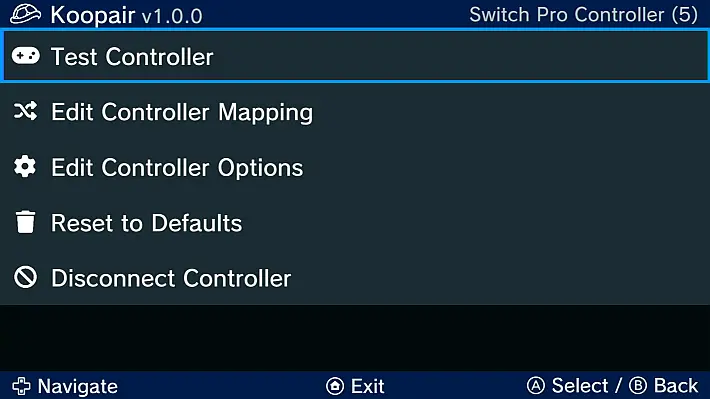
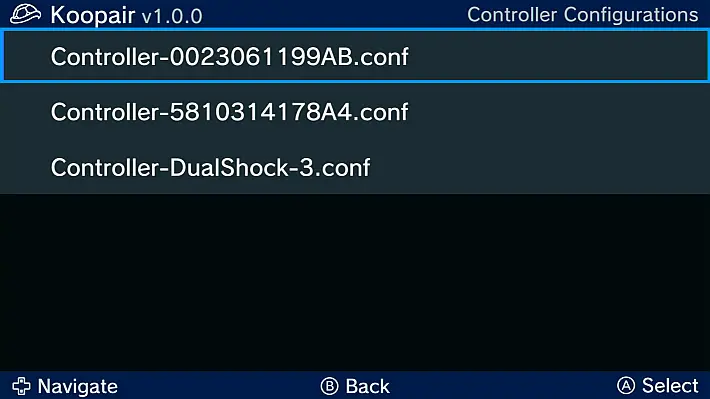
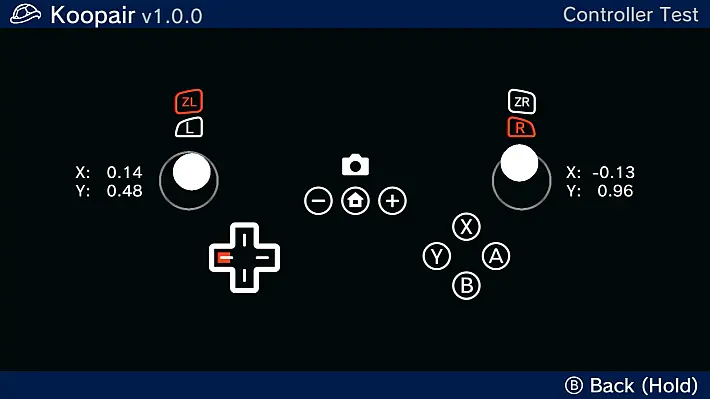
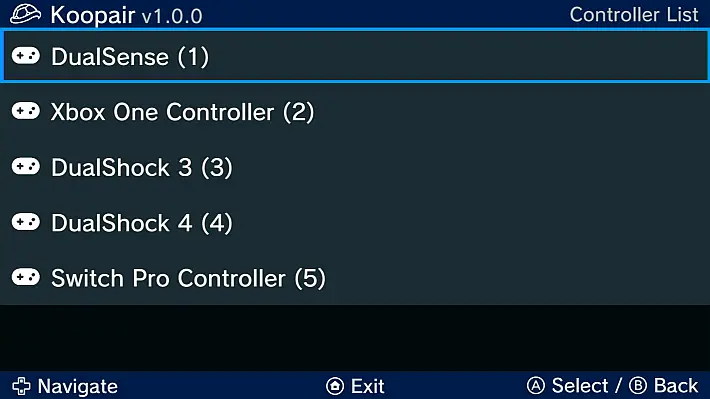
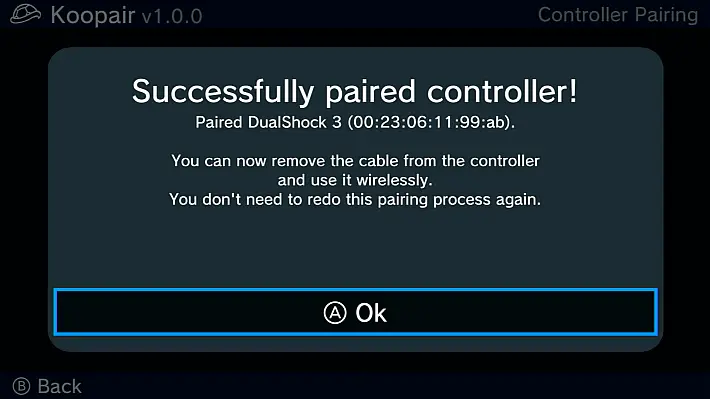
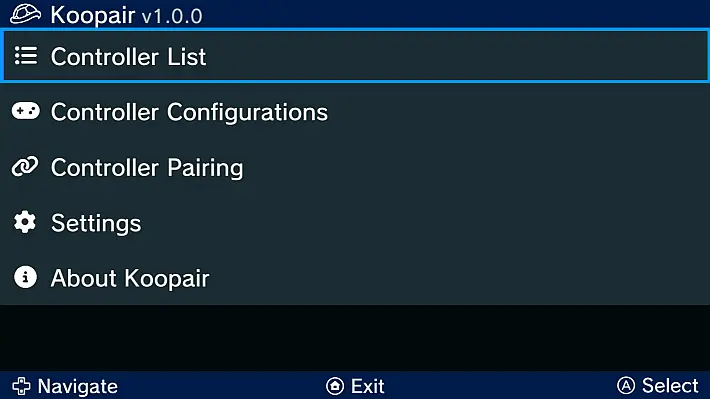
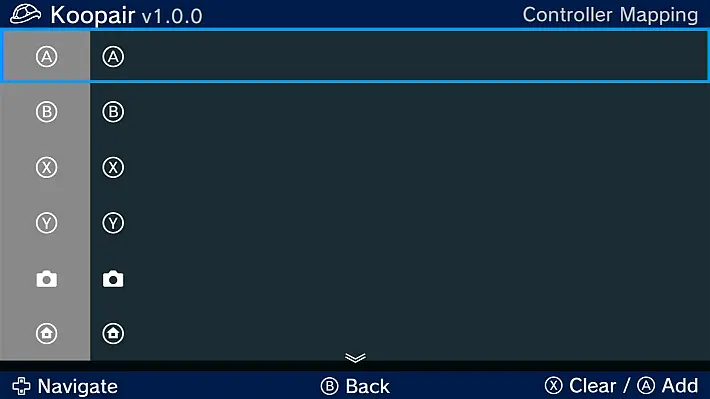
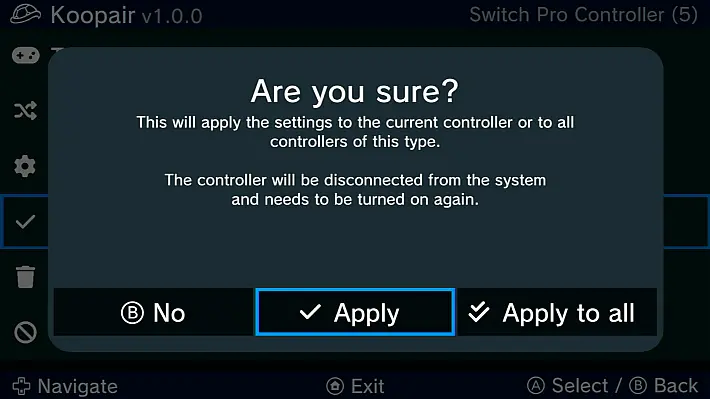
Koopair supports:
- Test for connected controllers.
- Creating mappings for buttons and sticks.
- Changing controller options.
- Configuration file management.
- Connecting DualShock 3 controllers.
Pairing a DualShock 3
The DualShock 3 must be paired using a USB cable. After initial pairing, it can be used like any other Bluetooth wireless controller.
- Open the Koopair app from the Wii U Menu or Homebrew Launcher. Open the “Controller Pairing” option in the menu.
- Connect the DualShock 3 using a USB cable to the front or rear ports on the console.
- The screen will display “Successfully paired controller!” once the controller has been successfully connected.
- Now you can remove the USB cable from the controller. Press the button
 to connect it to the console.
 - Press the HOME button to exit.
- Your DualShock 3 is now ready for use with your console.
 to connect it to the console.
FAQ
Question: My controller won’t pair with my console
Answer: Make sure Bloopair is running and both your console and controller are in SYNC mode. Also make sure your controller is supported in the list. Wait about a minute and if nothing happens, restart your console and repeat the process. Try clearing your controller syncs as well.
Question: Will you add support for the xyz controller?
Answer: So far I have added support for all the controllers I currently own. Maybe I can get a few more controllers that I can add support for. Pull requests for different controllers are always welcome.
Question: Where are the config files stored?
Answer: Bloopair loads the config files from the folder wiiu/bloopairon the SD card. This means that the configs work on multiple environments.
Soon
- Supports multiple controllers.
- Bluetooth LE support (Wii U’s Bluetooth stack appears to support this?)
How it works
Bloopair will patch the IOSU IOS-PAD module into memory. It will make sure that any bluetooth device can be paired to the console. Once paired and connected, it will convert the received HID reports to the Pro Controller HID report format, which the padscore expects.
Changelog
- Added support for third-party DualShock 4 controllers that do not send full reports.
- Note: These controllers do not support battery level display and always show full battery.
- Improved handling of Switch controllers without full stick calibrations.
- Improved stick movement ranges for Switch controllers without calibration data.
Download: Bloopair v1.0.3
Download: Source code Bloopair v1.0.3
Source: gbatemp.net
Dịch Vụ Chép Game Tại TP.HCM – Hỗ Trợ Tất Cả Quận
Chép Game Ổ Cứng Ngoài Giá Rẻ – Hỗ Trợ PS, Xbox, Nintendo, PC
Dịch Vụ Chép Game PSP Giá Rẻ – Game Việt Hóa Cập Nhật Mới Nhất
Dịch Vụ Chép Game PSVITA Giá Rẻ – Game Việt Hóa Cập Nhật Mới Nhất
Dịch Vụ Chép Game PS2 Giá Rẻ – Game Việt Hóa Cập Nhật Mới Nhất
Dịch Vụ Chép Game NINTENDO SWITCH Giá Rẻ – Game Việt Hóa Cập Nhật Mới Nhất
Dịch Vụ Chép Game PS5 Giá Rẻ – Game Việt Hóa Cập Nhật Mới Nhất
Dịch Vụ Chép Game XBOX 360 Giá Rẻ – Game Việt Hóa Cập Nhật Mới Nhất
Dịch Vụ Chép Game PS3 Giá Rẻ – Game Việt Hóa Cập Nhật Mới Nhất
Dịch Vụ Chép Game PS4 Giá Rẻ – Game Việt Hóa Cập Nhật Mới Nhất
Dịch Vụ Chép Game PC Giá Rẻ – Game Việt Hóa Cập Nhật Mới Nhất