
A new update has been released for ModMii , the tool for Windows PC that allows us to download from the net all the files necessary to be able to modify any Nintendo Wii console .
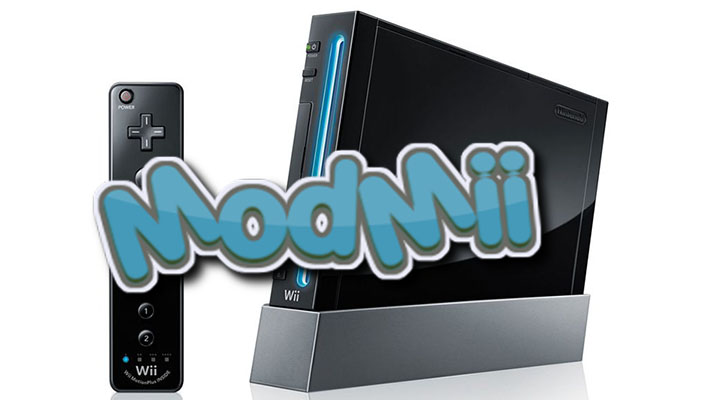
The application also allows you to generate a series of custom guides, depending on the specifications of the Wii console , and save the files in the most appropriate locations, facilitating the offline softmodding process.
In this release, ModMii introduces several improvements, including the ability to selectively exclude certain files from the cleanup function, giving you more precise control over deleting data you no longer need.
The ModMii Classic advanced downloads page has been heavily revised and improved: you can now create multiple different versions of d2x cIOS in the same download queue, all with a faster process and fewer confirmation prompts.
Also added an option to remove the last advanced download inserted, useful in case of error, and the management of advanced downloads has been made more secure, limiting the cIOS slots to values from 200 to 253 to avoid the risk of bricking, except for custom downloads, which remain potentially dangerous if used improperly.
Download queues are now handled differently depending on whether they were created with ModMii 8.0.0 or earlier, compared to those from 8.0.1 onwards, with full support for multiple d2x versions in the same queue in recent files.
IOS have been removed from the advanced downloads page, but remain accessible via the custom download feature.
After completing the wizards that include d2x cIOS, you will be asked if you want to downgrade to the latest “recommended” version instead of the “included” one, with the option to enable it via the “R” option on the d2x settings page.
The application will check for new versions only once per session and once per day, silently, at startup.
The Forwarder Builder now allows the creation of hidden WAD forwarders, especially useful on WiiU for directly launching homebrew or games without taking up space on the main menu.
The App Launcher has been enhanced with support for wuhb, rpx and wps files to send directly to the WiiU over the internet using the Wiiload plugin .
Wiiload and FTPiiU plugins for WiiU/Aroma have also been added, accessible from the Download 5 page and the app updater. The included d2x cIOS has been updated to v11 beta3.
All options are now saved automatically, without manual confirmation. When setting a drive letter for SD or USB HDD, you are asked if you want to scan it for updates or cleanup of apps, even in the Skin version of ModMii.
These operations will not change the saved path for the SD card. Added information about the context menu, Launchpad toolbar and installer/uninstaller in the ModMii Classic options.
The guides have been improved with the addition of instructions for checking or changing the MBR partition style on SD cards as well as USB HDDs, as they are not always sold already configured as MBR.
Priiloader instructions have been updated to help users deal with errors such as “cIOSPAGHETTI”.
Additionally, when unloading yawmME as part of a SysCheck procedure, ModMii disables any custom configurations that might interfere.
Numerous minor bugs have been fixed, including issues with dol forwarder paths, errors updating SysCheck in vWii, unexpected behavior when loading multiple download queues, occasional crashes when downloading from oscwii.org, and faulty parsing of meta.xml.
Also fixed a bug in the d2x options and Skin theme list that showed invalid entries, and a harmless error that occurred when creating emuNANDs.
Improved permissions handling when ModMii is run as administrator, and adapted launcher behavior to correctly detect multiple instances of the program.
On older Windows systems, the 32-bit version of ModMii is now automatically used to improve compatibility.
Finally, some aesthetic features have been updated such as the “Spin” effect of the channels, the integrated Wiiload version has been updated and the security when modifying IOS slots has been improved to avoid conflicts with the system menu.
In addition to these new features, a number of other small improvements and general optimizations have been implemented.
What ModMii can do
- It can download all the files needed to modify, update and downgrade your Wii system menu.
- Update only your outdated softmods based on a SysCheck log from your Wii.
- Create a custom, easy-to-follow guide to setting up a USB charger (including formatting/partitioning your external hard drive).
- Install SNEEK, create emulated NAND, and batch extract Wii/Gamecube games for use with SNEEK+DI or UNEEK+DI.
- Loading NEEK on a Wii without softmods via the withdrawal wizard.
- Change the region of your Wii.
- Download individual IOS/cIOS files, Official Wii Channels, System Menus, Wii Apps, DML, etc.
- Install patched iOS without a Wi-Fi connection on your Wii.
- Customize Bootmii, Wad Manager and MMM boot settings using ModMii Configurators to create custom configuration files.
- It is also able to create multiple themes for the System Menu (csm and Wad with themes).
- It provides a solution for the flipped Homebrew channel and HackMii installer, without vulnerable IOS issues.
- The advanced Custom Downloads feature allows you to easily patch and change IOS/cIOS slot/version. It can also create 3 different types of dol and iso forwarders (only use this feature if you know what you are doing!!).
- Drag and drop to open various types of Wii files and perform various functions (e.g., checking/cloning/defragmenting nand.bin, editing/unpacking/transmitting WAD files, creating mym and csm themes, launching dol and elf apps, HBC zip transfer tool, etc.).
- Save and load custom queues for download.
- And much, much more!
Changelog
Highlights
- Added the option to ignore files from ModMii’s file cleaner, so you can choose exactly what to clean/remove. Also added some additional files to ModMii’s file cleaner list.
- The ModMii Classic Advanced Downloads page has been drastically changed and improved. Users can now create multiple d2x cIOS versions in the same download queue. Adding advanced cIOS downloads to a queue is much faster and requires fewer confirmation prompts than before. The option to remove the last advanced download from the queue on failure has been added. Advanced cIOS download slots are now limited to a range of 200 to 253, meaning there is no risk of bricking from any of ModMii’s advanced downloads (EXCEPT for custom user-defined downloads, which can still be dangerous if you don’t know what you’re doing).
- Download queues load differently for queues created with modmii 8.0.0 or earlier than for 8.0.1+. 8.0.1+ queues will work as expected and will support multiple d2x versions in the same queue. Older 8.0.0 or earlier queues (created for a single d2x version) will continue to be modified to sync with the d2x version selected in the ModMii options.
- All IOS have been removed from the Advanced Downloads page; they can still be recovered using ModMii’s User-Defined Custom Download option.
- Upon completion of a wizard that includes d2x cIOS, ModMii will now ask users if they want to switch to the latest “recommended” d2x cIOS version instead of the “bundled” one. The “recommended” d2x version can now be toggled by typing “R” on the d2x options page. Restoring defaults will also enable the recommended d2x version if it is different from the bundled one, and will prompt the user accordingly.
- ModMii will only check for other d2x versions available online once per session. This makes it much faster to change d2x versions multiple times in a single session.
- Upon startup, but no more than once a day, ModMii will silently check\confirm the latest “recommended” version of d2x cIOS.
- ModMii’s Advanced Downloads Forwarder Builder can now also create hidden WADs for channel forwarding (not applicable for Channel ID Forwarder types, as it would be redundant). Especially useful for WiiU users who launch homebrew or Wii games directly from WUHB forwarders, but don’t want the channels to be visible or take up space on the Wii menu.
- Improved ModMii App Launcher with support for wuhb, rpx and wps files so you can upload these file types from your PC to your WiiU over the Internet (requires Wiiload plugin).
- Added Wiiload and FTPiiU plugins for WiiU\Aroma to download page 5 and App Updater controls.
- Updated bundled version of d2x cIOS to v11 beta3 .
Options
- Now all options are automatically saved when changed and the dedicated option to save settings has been removed.
- By setting the drive letter (or path) of the SD or USB HDD via the options menu, ModMii will now ask if you want to scan for apps to update or clean (only after a quick cursory check of the apps or wiiu folder). The same feature is also available in ModMii Skin, but the user will also be notified if nothing is found, as this is the only File Cleanup and App Update option available in ModMii Skin.
- File cleanup and app update operations will no longer change the saved SD card Drive/Path setting.
- Added information about the Launchpad context menu and toolbar and Installer\Uninstaller to ModMii Classic Options (in addition to the “F = open a file or folder” menu). See the 7.0.0 changelog for more information.
Guide
- Added steps to applicable guides to check/change MBR partition style of SD cards (as well as USB HDDs), since they are not always sold as MBR by default nowadays.
- Improved Priiloader steps in guides to handle potential “cIOSPAGHETTI” errors.
- When downloading yawmME ONLY as part of a SysCheck Updater guide/wizard, ModMii ensures that
\WAD\wm_config.txtit is disabled to ensure no custom configuration settings cause issues like this .
Minor bug fixes and improvements
- ModMii now adds a / (slash) to the beginning of v14 forwarder dol paths. Most homebrew doesn’t take this into account, so it went unnoticed for a long time. ModMii’s v14 USBLoader(s) forwarder has been similarly updated, but you shouldn’t need to upgrade from the previous version.
- Fixed bug in vWii SysCheck Updater Wizard where vIOS80 and Priiloader were always thought to need updates.
- Fixed a minor bug where the ModMii Skin vWii Wizard functions would allow users to proceed with custom d2x enabled builds that did not support the iOS 38 vWii base, as long as the other 3 iOS vWii bases were supported. In those cases, a vWii iOS 38 base would simply be excluded from downloads and guides.
- Fixed a bug where loading a download queue and then going back and loading a second queue would still toggle items from the first queue.
- Fixed a bug where ModMii would sometimes crash when downloading apps from oscwii.org if the site was down or your PC was offline. Now, if you don’t have access to oscwii.org, ModMii will treat the cached version in its temporary folder as the latest available (if applicable), otherwise the download will be reported as missing.
- Fixed an issue with ModMii’s App Launcher feature, which failed to properly retrieve arguments from meta.xml files that incorrectly included null bytes or single-line comments before any arguments (block comments were correct). Also changed meta.xml argument parsing to exclude all arguments contained within disabled_arguments tags (recently introduced by USB Loader GX in r1282).
- Fixed bug when listing options for d2x themes or skins where additional invalid options were displayed; this was harmless as they could not be toggled.
- Fixed the harmless error “Could not find C:\ModMii\temp\DLgotos.txt” that sometimes appeared when compiling emunand. Even if this error occurred, the results would be correct.
- Fixed a small bug that occurred if ModMii Classic was running as administrator and one of the download pages was launched, causing the ModMii console window to remain open instead of being hidden.
- If ModMii Classic is run as an administrator, the on-screen prompts informing users that they can drag and drop files into the console window to avoid typing the path no longer appear (since this feature is disabled when running ModMii as an administrator). Note that you are never prompted to run ModMii as an administrator unless you choose to install it or write it to a protected folder.
- Updated the shortcut launchers (ModMii.exe, ModMiiSkin.exe, and ModMii_32bit.exe) to also detect ModMii instances when running as administrator (e.g. “Administrator: ModMii”), to better warn users not to run multiple instances of ModMii.
- ModMii Skin and ModMii.bat will switch to the 32-bit version of ModMii.exe on older, unsupported versions of Windows, even if it is a 64-bit operating system. The 32-bit version of ModMii.exe will not magically make ModMii fully compatible with older versions of Windows, but it will make things a little better.
- Updated the optional “Spin” channel effect when applying themes. This change only scales the channel outline, as described here .
- Updated the wiiload version used by ModMii to v0.5.3-1 and removed the App Launcher file size check (validated on the receiver)
- For your protection, ModMii’s IOS WAD modifier now prevents users from changing an IOS stub’s slot to one used by system menus.
- Other small changes.
Download: ModMii v8.0.1 Installer
Download: ModMii v8.0.1
Download: Source code ModMii v8.0.1
Source: github.com
Dịch Vụ Chép Game Tại TP.HCM – Hỗ Trợ Tất Cả Quận
Chép Game Ổ Cứng Ngoài Giá Rẻ – Hỗ Trợ PS, Xbox, Nintendo, PC
Dịch Vụ Chép Game PSP Giá Rẻ – Game Việt Hóa Cập Nhật Mới Nhất
Dịch Vụ Chép Game PSVITA Giá Rẻ – Game Việt Hóa Cập Nhật Mới Nhất
Dịch Vụ Chép Game PS2 Giá Rẻ – Game Việt Hóa Cập Nhật Mới Nhất
Dịch Vụ Chép Game NINTENDO SWITCH Giá Rẻ – Game Việt Hóa Cập Nhật Mới Nhất
Dịch Vụ Chép Game PS5 Giá Rẻ – Game Việt Hóa Cập Nhật Mới Nhất
Dịch Vụ Chép Game XBOX 360 Giá Rẻ – Game Việt Hóa Cập Nhật Mới Nhất
Dịch Vụ Chép Game PS3 Giá Rẻ – Game Việt Hóa Cập Nhật Mới Nhất
Dịch Vụ Chép Game PS4 Giá Rẻ – Game Việt Hóa Cập Nhật Mới Nhất
Dịch Vụ Chép Game PC Giá Rẻ – Game Việt Hóa Cập Nhật Mới Nhất