
A new update is available for Nintendont , one of the most famous homebrews for Nintendo Wii and Wii U consoles, the application allows us to run GameCube games on Wii and Wii U consoles through vWii.
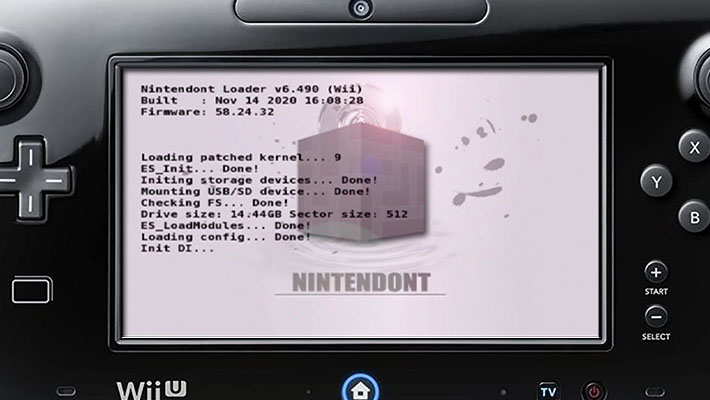
The update brings with it a number of significant improvements and new features. In particular, the black screen issue that occurred when launching Super Smash Bros. Melee with Slippi , the popular mod dedicated to netplay, has been resolved.
Patches for all regions of the games “Homeland” and “Nintendo Puzzle Collection” have also been introduced, a key step to allow for future amateur translations.
On the hardware compatibility front, this release adds support for new devices like the third-party GameCube controller adapter ID , the DualSense Edge0079:1846 controller , and the Qanba Drone Arcade Stick , as well as offering compatibility with some broadband adapters as well.
Finally, a visual and functional improvement concerns large ISO images, which are now highlighted in dark yellow within the interface and can be launched normally, increasing clarity in managing your game library.
Game Specific Notes
For Mario Kart , Kirby Air Ride , and 1080 Avalance , when you want to connect to a physical GameCube console or Dolphin emulator , first switch to LAN mode. After they start searching for other consoles, only then do they connect to the other nintendont instances .
If you don’t follow this order, Nintendont won’t be able to see the other consoles, probably due to a bug in the Wii firmware.
You can only connect to other consoles on your local network unless you use a LAN tunneling program like Xlink Kai just like on a real BBA. Also, while WLAN will work, it obviously has the potential to run slower.
Note that 1080 Avalanche has a particularly big problem with disconnecting, see the helper tricks below to make it easier to connect.
For Phantasy Star games you can connect to private servers like schthack after creating a new account. After creating an account, go into the games network settings, set DHCP to Auto and do not disconnect, then enter the DNS server of the private server you want to access.
If you want, you can also connect a USB keyboard and use it ingame without any further settings required.
For Homeland , you can use the game as both a server and a client when you enable direct IP mode in the game. Just set its network settings to DHCP Auto just like for Phantasy Star Online .
So you should be able to play it like on a real GameCube or Dolphin.
Below you can find various cheats for games like 1080 Avalanche and Phantasy Star Online . You can convert them to a file .gctusing this website: https://geckocodes.org/index.php?gct=
Simply add the codes, edit the ones for Phantasy Star Online as required, download the file .gctand rename it to game.gctnext to game.isoon any device. Of course, make sure you enable cheats in your Nintendont settings for them to take effect.
Network codes for 1080 Avalanche:
The following codes attempt to wait for opponents to join instead of immediately disconnecting when none are present.
This can potentially help your connection to disconnect less, note that the game will likely continue to disconnect a lot.
1080 Wait for Connection (NTSC-U) [FIX94]04104604 4800009C04104678 48000028
1080 Wait for Connection (PAL) [FIX94]041051B0 4800009C04105224 48000028
1080 Wait for Connection (NTSC-J) [FIX94]041092F4 4800009C04109368 48000028
Keyboard Layout Cheats for Phantasy Star Online Games
The following codes change the keyboard layout the game will use. Find the code for your version and change the X in the second line of the layout:
0– for original JP layout1– for USA qwerty layout2– for French azerty layout3– for German qwertz layout4– for Spanish qwerty layout
NTSC-U Codes
PSO Keyboard Layout Modifier (Ep 1 & 2 v1.00 NTSC-U) [FIX94]203EDC7C 88630001043EDC7C 3860000XE2000001 80008000
PSO Keyboard Layout Modifier (Ep 1 & 2 v1.01 NTSC-U) [FIX94]203EDCD4 88630001043EDCD4 3860000XE2000001 80008000
PSO Keyboard Layout Modifier (Ep 1 & 2 Plus NTSC-U) [FIX94]203F1558 88630001043F1558 3860000XE2000001 80008000
PSO Keyboard Layout Modifier (Ep III NTSC-U) [FIX94]2039FAD4 886300010439FAD4 3860000XE2000001 80008000
PAL Codes
PSO Keyboard Layout Modifier (Ep 1 & 2 PAL) [FIX94]203EFEC4 88630001043EFEC4 3860000XE2000001 80008000
PSO Keyboard Layout Modifier (Ep III PAL) [FIX94]203A0978 88630001043A0978 3860000XE2000001 80008000
NTSC-J Codes
PSO Keyboard Layout Modifier (Ep 1 & 2 v1.02 NTSC-J) [FIX94]203EC9D8 88630001043EC9D8 3860000XE2000001 80008000
PSO Keyboard Layout Modifier (Ep 1 & 2 v1.03 NTSC-J) [FIX94]203EF3B4 88630001043EF3B4 3860000XE2000001 80008000
PSO Keyboard Layout Modifier (Ep 1 & 2 Plus v1.04 NTSC-J) [FIX94]203F13D8 88630001043F13D8 3860000XE2000001 80008000
PSO Keyboard Layout Modifier (Ep 1 & 2 Plus v1.05 NTSC-J) [FIX94]203F1188 88630001043F1188 3860000XE2000001 80008000
PSO Keyboard Layout Modifier (Ep III NTSC-J) [FIX94]2039EA84 886300010439EA84 3860000XE2000001 80008000
Characteristics
- Works on Wii and Wii U consoles (in vWii mode).
- Full-speed loading from USB device or SD card.
- Load 1:1 images and reduce size for .GCM/.ISO disk images.
- Load games as extracted files (FST format).
- Load disk images in CISO format. (uLoader CISO format).
- Supports memory card emulation.
- Plays audio by streaming the audio disc.
- Bluetooth controller support (Classic Controller (Pro), Wii U Pro Controller).
- Support HID controller via USB.
- Custom button layout when using HID controllers.
- Cheat code support.
- Ability to change the configuration of various settings.
- Restart/Power Off via combo (R + Z + Start) (R + Z + B + D-pad Down).
- Advanced Video mode for patching, progressive force and 16:9 widescreen force.
- autostart from loader.
- Change disc.
- Ability to use the official Nintendo GameCube controller adapter.
- BBA emulation (read above).
Features (Wii only)
- Execution of retail games.
- Support for backups from writable DVDs (older Wiis only).
- Using real memory cards.
- GBA-Link cable support.
- WiiRd.
- Ability to use microphone on Nintendo GameCube consoles.
Installation
- Download the file
loader.doland rename it toboot.dol. boot.dolUpload the previously downloaded file into the directory along with the meta.xml and icon.png/apps /Nintendont/files .- Copy your GameCube games into the directory
/games/. Subdirectories are optional for 1-disc games in ISO/GCM and CISO format.- For multi-disc games you need to create a new subdirectory
/games/MYGAME/(where MYGAME means anything), then name disc 1 asgame.isoand disc 2 asdisc2.iso. - For extracted FST files, this must be in a subdirectory, e.g. in
/games/FSTgame/sys/boot.bin.
- For multi-disc games you need to create a new subdirectory
- Connect the storage device to your Wii or Wii U console and launch the Homebrew Channel application .
- Select Nintendont .
Changelog
- Added support for Brook Zero Pi Fighting Board . Considered one of the best fighting game boards, now compatible with Wii and PS2 controller cable.
- Updated support for Qanba Drone Arcade Stick . Requires PS4 mode to be enabled. PS3 mode is not supported.
- Added support for the DualSense Edge controller . Compatibility also extended to the new enhanced PlayStation 5 controllers.
- Oversized Image Support . Nintendont can now boot large disk images, just like Swiss. Contributed by: nfsman34
- Added support for BBA (Broadband Adapter) . Implemented compatibility with original and compatible broadband adapters.
- Patches for all regions of HomeLand and Nintendo Puzzle Collection . Necessary for future amateur translations of these titles.
- Various code merges and recompilation . General optimizations and bug fixes related to program exit.
Notes
- The SD card slot on the Wii and Wii U is known to be very slow. If you are using an SD card and are experiencing performance issues, consider using a faster USB hard drive.
- USB flash drives are known to have many problems.
- Nintendont works best with storage devices formatted with 32KB clusters. (Use FAT32 or exFAT.)
To install vWii on Wii U and use Nintendont follow this complete guide .
Download: Nintendont v6.503
Download: meta.xml
Download: icon.png
Download: Source code Nintendont
Source: wiidatabase.de
Dịch Vụ Chép Game Tại TP.HCM – Hỗ Trợ Tất Cả Quận
Chép Game Ổ Cứng Ngoài Giá Rẻ – Hỗ Trợ PS, Xbox, Nintendo, PC
Dịch Vụ Chép Game PSP Giá Rẻ – Game Việt Hóa Cập Nhật Mới Nhất
Dịch Vụ Chép Game PSVITA Giá Rẻ – Game Việt Hóa Cập Nhật Mới Nhất
Dịch Vụ Chép Game PS2 Giá Rẻ – Game Việt Hóa Cập Nhật Mới Nhất
Dịch Vụ Chép Game NINTENDO SWITCH Giá Rẻ – Game Việt Hóa Cập Nhật Mới Nhất
Dịch Vụ Chép Game PS5 Giá Rẻ – Game Việt Hóa Cập Nhật Mới Nhất
Dịch Vụ Chép Game XBOX 360 Giá Rẻ – Game Việt Hóa Cập Nhật Mới Nhất
Dịch Vụ Chép Game PS3 Giá Rẻ – Game Việt Hóa Cập Nhật Mới Nhất
Dịch Vụ Chép Game PS4 Giá Rẻ – Game Việt Hóa Cập Nhật Mới Nhất
Dịch Vụ Chép Game PC Giá Rẻ – Game Việt Hóa Cập Nhật Mới Nhất