
A new update has been released for NDSFactory , a simple tool for Windows PC, MacOS and Linux that allows you to extract and rebuild Nintendo DS ROMs ( .nds).
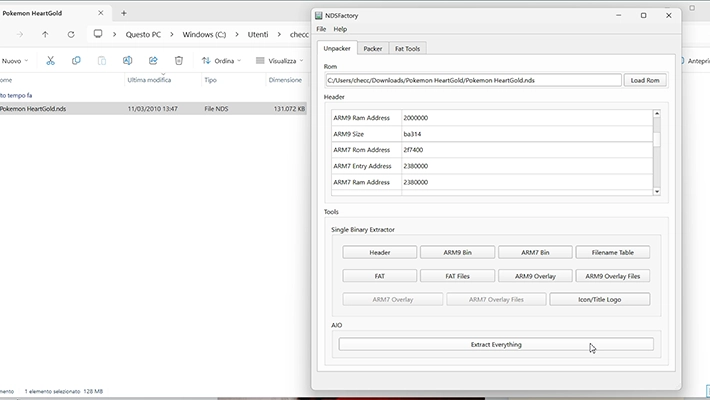
A typical NDS ROM consists of several sections, including the header, ARM9 and ARM7 binaries, optional overlays, a file table (FNT), a file allocation table (FAT), and various files used by software, such as graphics and music.
NDSFactory allows you to extract and modify these sections and rebuild the ROM with the modified sections.
To use the tool, in the “Unpacker” tab you load the ROM and extract the sections, it is important to also note the original addresses of the FAT files, as they may be needed to change the addresses and sizes of the sections or to extract their contents.
In the “Packer” tab, you can recreate a file .ndsusing the modified sections, but if the sections are larger than the original, you need to update the addresses and sizes in the header.
If you change the location of the FAT files, you need to patch the FAT, using the “FAT Patching” tab. Also, if your ROM contains ARM9 or ARM7 overlays, you need to manually update the overlay offsets using a hex editor.
The “Fat Tools” tab allows you to extract FAT files, rebuild them into new files, and, if necessary, patch the FAT section if the final address fat_data.bindiffers from the original.
It is also essential not to change the names or extensions of FAT files, as this may require a new FNT file.
Changelog
- The macOS version is now a Universal Binary (Intel & ARM).
Download: NDSFactory v1.3.2 (Windows)
Download: NDSFactory v1.3.2 (MacOS)
Download: NDSFactory v1.3.2 (Linux)
Source: github.com
- TAGS
- NDSFactory