
A new update for PS5 Remote JAR Loader is published, a project that exploits vulnerabilities discovered in the BD-J level of the firmware 7.61 and previous of the PlayStation 5 console to implement a loader that can listen to JAR files and run the main class.
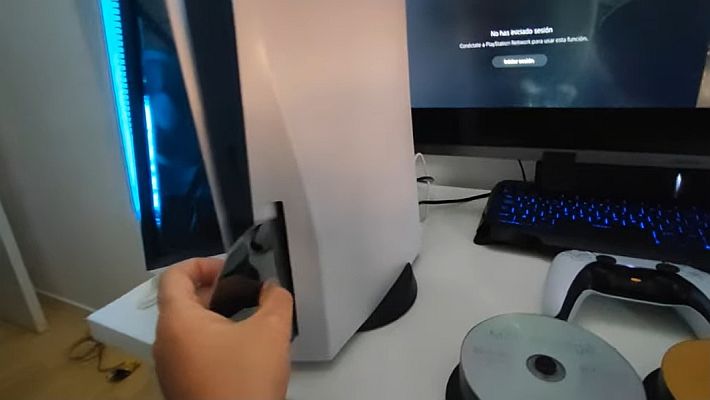
This approach allows you to burn the BD-R disk with the loader once, then allowing the execution of updated versions of the experimental code without having to repeat the burning process.
Quick start
- Download the ISO image of the JAR Loader.
- Burn the image to a BD-R(E) disk and launch it from the “Media” tab of the PS5.
- Download one of the pre-filled JAR files or compile it by following the steps below.
- Send the JAR file to the JAR Loader using NetCat or directly with the JAR file, if the machine has Java installed:
java -jar [jarfile].jar [ip] [host]. .
Prerequisites
- JDK 11 (the PS5 console uses the Java 11 runtime).
- The Apache Maven.
- IntelliJ IDEA Community Edition (optional, but recommended).
Structure
The project includes the following components:
- pom.xml in the root directory defines the common properties and configuration of the Maven plugin for all projects.
- The assembly subproject creates the directory to burn to a BD-R disk. It is recommended to use the ImgBurn software for this. Make sure you use the UDF 2.50 file system, then simply drag the directory content
assembly/target/assembly-[version]in the disk layout editor. - The bdj-tools subproject does not require any changes. They are the utilities taken from the HD Cookbook, adapted to run on JDK 11 and integrated into the build process of the BD-R disk file system.
- The stubs subproject contains the build script to download BD-J-class files from HD Cookbook and organize them for use with the local JDK 11. It’s also the place to declare PS5-specific stub files so they can be used in the remote outlet and JAR.
- The sdk subproject contains helper classes that simplify the native invocation in the executed code. The classes in this form are incorporated into the final JAR which will be sent to the PS5 for execution.
- The xlet subproject contains the code of the outlet that starts when the BD-R disk is launched on PS5. Simply start the JAR loader (by default on port 9025).
- The xploit subproject contains the code to be sent for execution on the PS5. The code can refer to xlet classes, such as the Status class for on-screen output. The project produces a JAR that can send itself for execution.
Configuration
The following pom.xml properties can be adjusted before burning the JAR Loader to disk:
loader.port– Door on which the JAR charger will listen to the data.loader.resolution.width,loader.resolution.height– Resolution of the screen to be set in various files. I’m not sure how this affects something, I haven’t experienced it enough.remote.logger.host– IP address where to resonate the messages shown on the screen. If empty, the remote recording will not be used. This host can also receive binary data, see RemoteLogger-sendBytes.remote.logger.port– Door on which the remote logger will send the status messages.remote.logger.timeout– Number of milliseconds to wait before abandoning attempts to connect to the remote recording host. If the host is inactive after this timeout at the first attempt to send, no further remote recording attempts will be made.
Directly change the POM or pass the new values from the command line, for example: mvn clean package -Dloader.port=9025 -Dremote.logger.host=192.168.1.100. .
To listen to messages on the remote machine when the remote logger is activated, you can use it socat udp-recv:[remote.logger.port] stdout. .
Even if the remote logger is not active by default in the disk-burned Xlet, you can programmatically change the remote logging server directly from the payload in the JAR file by calling Status-resetLogger.
Use
- Ensure that the environment variable
JAVA_HOMEpoints at the root of JDK 11. Add the directory${JAVA_HOME}/bina${PATH}. . - Also make sure that
MAVEN_HOMERoot points of Apache Maven installation. Add the directory${MAVEN_HOME}/bina${PATH}. . - Create a payload to run on the PS5 by adding the implementation to the under module
xploit. . You don’t need to edit existing files (even if you can do it if you wish). Just add your payload class in the org.ps5jb.client.payloads package and specify its name as a parameter when compiling the project (see next step). Some sample payloads are already provided in this package. - Perform
mvn clean package -Dxploit.payload=[payload classname]from the root of the project. This should produce the following artifacts: a. The directoryassembly/target/assembly-[version]contains all the files that need to be burned to a BD-R. b disk. The filexploit/target/xploit-[version].jarcontains the code that can be sent repeatedly to the PS5 once the loader has been deployed. To avoid having to specify the payload each time with a switch-D(even in step 9), you can also change the propertyxploit.payloadin the pom.xml of the xploit project. - Burn the BD-R (better still the BD-RE) with the contents of the directory mentioned in step 4a. Note that the re-mastering of the JAR loader disk is only necessary when the xlet source or assembly modules is changed.
- Enter the disc in the PS5 and start “PS5 JAR Loader” from the Media/Disk Player section.
- A message on the screen should inform you that the loader is waiting for the JAR.
- Send the JAR using the command:
java -jar xploit/target/xploit-[version].jar <indirizzo IP della PS5>. . - The PS5 should inform on the screen about the status of the load and execution.
- Once the execution is complete, the loader will wait for a new JAR. Make the necessary changes in the project
xploit, recompile usingmvn packageand re-reform step 8 to repeat the process as many times as needed.
Notes
- To use IntelliJ, focus the dialogue
File -> Openon the root of the project. The import of Maven will be imported. Next, follow the manual steps in the IntelliJ Project Structure to adjust dependencies so that IntelliJ sees the BD-J classes before the JDK classes. - If one of the POMs is modified, you must run Maven – Reload Project in IntelliJ to synchronize the project files.
- To generate Javadocs, use
mvn verifyinstead ofmvn package. . Javadocs are enabled for sdk, xlet and xploit modules and are generated in the directorytarget/site/apidocsof each module. - The JAR in the module
xploitaccess to some internal classes of the JDK through reflection. This will result in alerts that can be safely ignored. To mute alerts, add the following switch after the Java executable when sending the JAR file:--add-opens java.base/jdk.internal.loader=ALL-UNNAMED. . - Whether the JAR file
xploithas no PS5 specific dependencies, can be tested locally. The important part is having the JARsxlet,stubsand andxploitall in the same folder. If the payload refers to GEM, BD-J, or Java TV API, the corresponding JAR files generated in the lib directory should be in the same folder. Maven build automatically creates this arrangement in the directoryxploit/target, then the command to run the payload on the development machine is very similar to the one that sends the JAR to the PS5:java -jar xploit/target/xploit-[version].jar. . When performed locally, the classStatusprint on standard output/error, instead of on-screen. - Currently the project uses two distinct version numbers:
- The version
xletIt is independent and is only incremented when you need to burn a new disk with the updated JAR classes of the charger. If the PS5 shows a different version from the code of this repo, the compatibility of payloads is not guaranteed, then it is better to burn a new loader disc. This version is not expected to be incremented often, as the charger is rather stable. To increase this version, change the value of the propertyxlet.versionin pom.xml. - The rest of the modules use the POM father version. This version will be increased with the new release and reflects that the SDK or payloads have changed. If the loader version has remained unchanged, these new payload versions can be sent to the JAR charger without having to burn the disc again. This version can be increased by executing
mvn versions:set -DnewVersion=[versione], then updating the IntelliJ Maven project as described in step 2.
- The version
Structure of the IntelliJ Project
IntelliJ’s Maven project files are located in an IntelliJ private local folder. The initial opening and subsequent reloads of the Maven project mistakenly import some settings.
In particular, the JARs of the BD-J stack are completely ignored or imported with an incorrect scope. Unfortunately, due to this fact, the following steps should be performed whenever a Maven project reload occurs:
- Sync the Maven project by editing the .idea/compiler.xml file to contain absolute system paths. Simply replace these with the macro
$PROJECT_DIR$. . - Access to the window
Project Structureand move to the cardModules. . Check each module and make sure the modulesbdj-api,javatv-apiand andgem-apiHave a “Provided” scope. - Also, for all modules that have the dependencies mentioned above, click on the button
+ (Add) -> Libraryand add library dependencybdjstack. . Make sure it is moved to the top position above the SDK 11 entry. This setting was previously recorded in the version control and could simply be restored, but in recent updates it must be executed every time.
Changelog
Added useful SDK mapping
Passages: passages:
- Compile the project and burn the content of
assembly/target/assembly-1.1.2on a BD-RE record. A pre-compiled ISO image is also provided. - Insert the disc into the PS5 and start the JAR Loader.
- Send a payload:
java -jar <payload.jar> <IP della PS5>
Examples:
- FTP server (in sandbox).
- Example mini tennis game.
- Printer of system property.
- Implementation of the UMTX bug from flat?z, adapted to this SDK. Note that it is not very stable and will probably make the console panic at the end of the execution in its current state.
Download: dumpclasspath-1.0-SNAPSHOT.jar
Download: ftpserver-1.0-SNAPSHOT.jar
Download: minitennis-1.0-SNAPSHOT.jar
Download: printsysprops-1.0-SNAPSHOT.jar
Download: ps5-jar-loader-1.1.2.iso
Download: umtx-bug-1.0-SNAPSHOT.jar
Download: Source code PlayStation 5 Remote JAR Loader v1.1.2
Source: github.com