
A new update for the sd2psXtd firmware has been released , confirming its status as one of the most complete and advanced solutions for those who want to make the most of memory card emulation on PlayStation 1 and PlayStation 2 consoles .
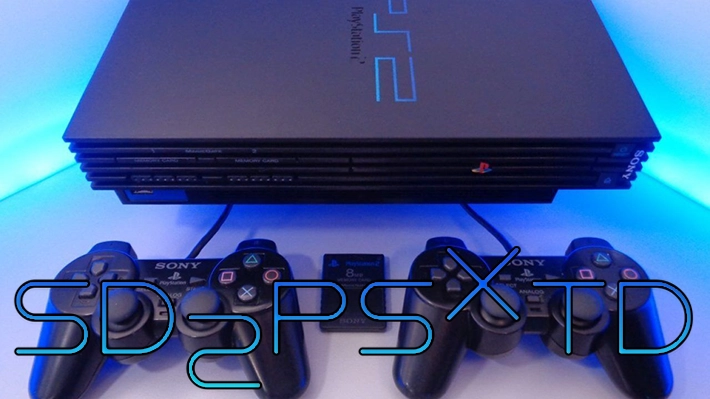
Born as an extension of the original sd2psx project , this firmware does not limit itself to reproducing the standard features, but introduces an impressive series of new features that aim to make the user experience more fluid, powerful and customizable than ever before.
Designed to run on RP2040-based devices such as the sd2psx and some commercial models like BitFunX’s PSXMemCard , sd2psXtd takes memory card emulation to the next level.
Notable innovations include automatic PS2 game ID switching, dynamic PS1/PS2 mode detection, support for the new “Arcade 2” mode (later renamed “Conquest Mode”), and targeted optimizations for ultra-fast FreePSXBoot loading .
From a technical point of view, the update aims to significantly improve overall stability, both in manual mode selection and when using PS1 titles.
Several bugs related to maximum channel settings, save confirmation strategy ( CIV ), and unusual behavior on “90ks” memory cards have been fixed. Additionally, DMA and I2C communications have been refined, improving overall efficiency and compatibility.
Finally, the shortcut, mode, and command response management system has been further refined to better align with official specifications and to properly handle edge cases such as invalid game IDs.
PlayStation 2
- Change Game ID.
- Dynamic PS1 mode selection.
- Support for MMCEMAN and MMCEDRV.
- Instant Memory Card Availability.
- Memory card support from 1 to 64 MB.
- Support for Developer (DTL-H & DTL-T), Arcade (COH-H) and Prototype (EB?) models.
PlayStation 1
- BootCard mechanics.
- PSRAM support.
- Controller button combo support for switching cards.
- Super fast startup of FreePSXBoot.
- Net Yaroze Support.
General
- Settings configuration file.
- Support for other RP2040 based MMCE devices.
- Configuration for each individual Memory Card.
- Game2Folder Mapping.
PS2: Change Game ID
As on the PlayStation 1, sd2psXtd can detect the game ID on the PlayStation 2 and automatically switch to a dedicated memory card for that game. ID switching can be disabled in the settings.
This happens in two ways:
- History File Tracking: The PS2 writes the game ID to a history file on the Memory Card. The firmware intercepts this write and automatically mounts the dedicated Memory Card.
- Game ID via MMCEMAN: Integrates with OPL, allows you to send game ID directly to the device.
PS2: Dynamic Mode Selection PS1
When booting in PS2 mode, commands sent to sd2psx are monitored. If messages from PS1 controllers are detected on the same bus as the memory card, the mode automatically switches to PS1.
Attention :
- If connected to a PS1 in PS2 mode, there is a risk of damaging the PS1 console .
- Do not use dynamic mode on a PS1 multitap – this will damage the multitap .
PS2: MMCEMAN and MMCEDRV support
- Memory Card Change : MMCEMAN can request a Memory Card or channel change.
- Game ID Communication : Can send game ID to MMCE to mount dedicated Card.
- File System Access : MMCEMAN allows file system access via POSIX calls.
- Game Loading : MMCEDRV allows you to load games from MMCE with performance equal to or better than MX4SIO.
PS2: Instant Memory Card Availability
With an 8MB memory card, sd2psXtd immediately exposes the card even while it’s being transferred to PSRAM. This speeds up FMCB/PS2BBL startup without the need for wait scripts.
PS2: Memory Card Support 1 to 64 MB
Added support for cards from 1 to 64 MB. However, above 8 MB, fast SD card access is required to avoid corruption.
Note: It is still recommended to use 8MB cards for maximum compatibility .
PS2: Developer, Arcade, and Prototype PS2 Support
sd2psXtd supports:
- DevKit
- Test Kit
- Arcade
- Prototype
By configuring the variant in the PS2 settings. These variants use different MagicGate keys to protect the memory cards.
Note: For Devkit (DTL-H) owners, please set the Card to RETAIL mode 1 .
PS1: BootCard Mechanics
If the BootCard function is enabled, the PS1 system automatically boots the BootCard when powered on. If disabled, the channel and card settings from the last session are restored.
PS1: PSRAM Support
Memory cards can be managed via PSRAM, improving the flexibility of RAM usage.
PS1: Card Switching Combo Controller
Key combinations to change Memory Card or Channel:
| Combination | Description |
|---|---|
| + + + + | Next Memory Card |
| + + + + | Previous Memory Card |
| + + + + | Next Channel |
| + + + + | Previous channel |
| + + + + | Switch to BootCard |
You need to hold down all four shoulder buttons plus the desired direction at the same time.
PS1: Super Fast Boot FreePSXBoot
Using non-standardized communication, sd2psXtd allows for lightning-fast booting of FreePSXBoot . It requires a special build of FreePSXBoot, which can be downloaded from: https://sd2psXtd.github.io
PS1: Net Yaroze Support
The firmware behaves like a Net Yaroze Access Card when used with the official Net Yaroze software.
General: Settings configuration file
.sd2psx/settings.iniA PC-editable file is generated .
Format example:
[General]
Mode =PS2
 FlippedScreen =OFF
 [PS1]
Autoboot =ON
 GameID =ON
 [PS2]
Autoboot =ON
 GameID =ON
 CardSize =16
 Variant =RETAIL
Possible values:
| Setting | Possible values |
|---|---|
| Mode | PS1, PS2 |
| AutoBoot | OFF, ON |
| Game ID | OFF, ON |
| CardSize | 1, 2, 4, 8, 16, 32, 64 |
| Variant | RETAIL, PROTO, ARCADE |
| FlippedScreen | ON, OFF |
Note: Make sure the file .iniends with a blank line .
General: Support for other RP2040-based MMCE devices
Supports devices such as:
- PicoMemcard+ / PicoMemcardZero (DIY by dangiu): Use PMC+ or PMCZero variant firmware.
- PSXMemCard (BitFunX): Use psxmemcard variant firmware.
- PSXMemCard Gen2 (BitFunX): Use sd2psx variant firmware.
New in version 1.2 : PMC+ and PMCZero onboard buttons are supported:
- Button 1: Load BootCard
- Button 2:
- Short press: Previous channel
- Long press: Previous Memory Card
- Button 3:
- Short press: Next channel
- Long press: Next Memory Card
General: Card Configuration
Each Memory Card can have its own configuration file CardX.iniin the Card folder.
Example format:
[ChannelName]
1 =Channel 1 Name
 2 =Channel 2 Name
 3 =Channel 3 Name
 4 =Channel 4 Name
 5 =Channel 5 Name
 6 =Channel 6 Name
 7 =Channel 7 Name
 8 =Channel 8 Name
 [Settings]
MaxChannels =8
 CardSize =8
Note:
CardSizeapplies to PS2 Memory Card only.- The folder
BOOTmust contain theBootCard.ini. - Make sure the files
.iniend with a blank line.
General: Game2Folder Mapping
Some games (e.g., the Singstar series) share save data between multiple Game IDs. You can create a custom mapping in .sd2psx/Game2Folder.ini.
Example:
[PS1]
SCXS-12345 =FolderName1
 [PS2]
SCXS-23456 =FolderName2
Note:
- Folder names that are too long may cause stuttering or malfunctions when using MMCE.
- Make sure you have a blank line at the end of the file
.ini.
Changelog
- Stability improvements when manually switching modes.
- Stability improvements on PS1.
- Added Arcade 2 mode.
- Fixed maximum number of channels in settings.
- Fixed CIV confirmation strategy.
- Fixed issues with the “cursed 90ks”.
Commit
196f398: Optimized ACK cycles (BBsan) #531e3c864: Improved PS1 memory card emulation (BBsan) #53dbfa9fe: After boot, switch to default memory card (BBsan) #53d2f8907: Attempt to fix problem #22 (BBsan) #53d0511d5: Switch to default tab if invalid game ID received (BBsan) #536f25566: Correctly use main ID when broadcasting Game ID (BBsan) #5305dd8d3: Enabled CI (Continuous Integration) on all branches and pull requests, limited to releases (Matías Israelson) #4792217d7: Added support for the second arcade mode (Matías Israelson) #477a816bc: Extended the 0x7F command according to the official specifications (Matías Israelson) #4797d41b5: Renamed Arcade Mode 2 to “Conquest Mode” (Matías Israelson) #47046c5f5: Ignoring command 0x7F outside of retail mode (Matías Israelson) #478d30c58: PIO Optimizations (BBsan) #53070f135: Correct DMA management (BBsan) #537e77ce2: Using DMA over I2C (BBsan) #5357caef0: Improved mode management (BBsan) #5392087dd: Optimized CI lifespan (BBsan) #530c192c9: Revert of a previous edit (BBsan) #5311e9325: Fixed PIO upload/download handling (BBsan) #532c72f38: Improved CIV confirmation strategy (BBsan) #533b1ccea: General Optimization (BBsan) #53971b416: Pico-sdk update (BBsan) #531ed29d1Shallow clone test (BBsan) #53a85cdd9: Removing a broken parameter (BBsan) #53c584bc5: Update to the latest version of lvgl branch 8.4 (BBsan) #53ef4fa0d: Rollback of lvgl update (BBsan) #53eec7a8f: Using Ubuntu 24.04-based devcontainer (BBsan) #53a22030b: Fixed MaxChannels issue (BBsan) #5253afa49: Release version 1.2.1 (BBsan) #53
Download: sd2psXtd v1.2.1
Download: Source code sd2psXtd v1.2.1
Source: github.com
Dịch Vụ Chép Game Tại TP.HCM – Hỗ Trợ Tất Cả Quận
Chép Game Ổ Cứng Ngoài Giá Rẻ – Hỗ Trợ PS, Xbox, Nintendo, PC
Dịch Vụ Chép Game PSP Giá Rẻ – Game Việt Hóa Cập Nhật Mới Nhất
Dịch Vụ Chép Game PSVITA Giá Rẻ – Game Việt Hóa Cập Nhật Mới Nhất
Dịch Vụ Chép Game PS2 Giá Rẻ – Game Việt Hóa Cập Nhật Mới Nhất
Dịch Vụ Chép Game NINTENDO SWITCH Giá Rẻ – Game Việt Hóa Cập Nhật Mới Nhất
Dịch Vụ Chép Game PS5 Giá Rẻ – Game Việt Hóa Cập Nhật Mới Nhất
Dịch Vụ Chép Game XBOX 360 Giá Rẻ – Game Việt Hóa Cập Nhật Mới Nhất
Dịch Vụ Chép Game PS3 Giá Rẻ – Game Việt Hóa Cập Nhật Mới Nhất
Dịch Vụ Chép Game PS4 Giá Rẻ – Game Việt Hóa Cập Nhật Mới Nhất
Dịch Vụ Chép Game PC Giá Rẻ – Game Việt Hóa Cập Nhật Mới Nhất